 Zhcloudlink
Home / Solutions / Smart Meeting Room Solution
Solutions
Smart Meeting Room Solution
An intelligent electronic door plate system that transforms the enterprise meeting experience.
I. Disadvantages of Traditional Meeting Rooms
Booking Conflicts: The lack of an effective reservation and management system often leads to meeting room usage conflicts, affecting the normal progress of meetings.
Resource Waste: Meeting rooms are used arbitrarily, and idle time may occur, resulting in a waste of meeting room resources and inefficient utilization.
Information Opacity: The lack of reservation records and clear booking information makes it difficult for other employees to know the actual usage of the meeting room, hindering meeting planning and arrangement.
Meeting Disorder: The absence of clear reservation rules and time schedules may lead to overlapping usage of meeting rooms, affecting the smooth progress and order management of meetings.
Management Difficulties: The lack of a unified management system makes it difficult to statistically manage and analyze meeting room usage, making resource optimization and allocation impossible.
II. Solution Overview
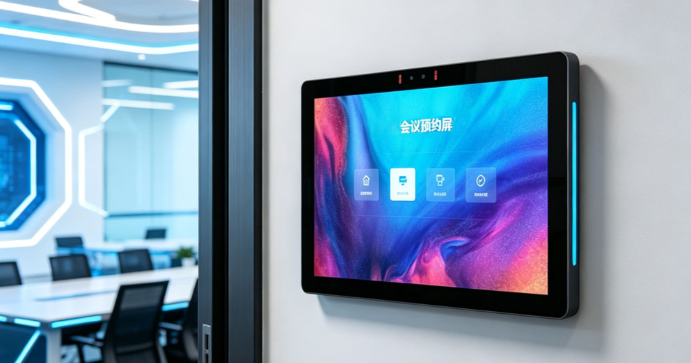
Meeting Room Electronic Door Plate: Innovative appearance design, exclusive performance, real-time synchronization, exclusive templates, access control integration, and face recognition.
Meeting Reservation Management System: Meeting room reservation, supporting integration with DingTalk, WeCom, Feishu OA and other platforms, with integrated management of various reports.
Cloud + Private Deployment: Supports cloud-based online interconnected operations and private local area network (LAN) deployment.
III. Hardware & Appearance Design
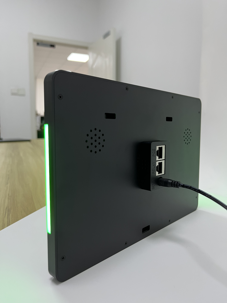
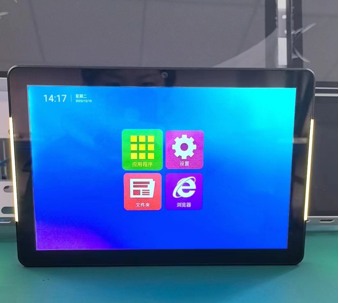
Unique Appearance Design: Full aluminum alloy material, delicate matte finish, smooth rounded edges and corners, LED light strips on both sides (seamless color with no visible beads), and an ergonomic design for a comfortable grip. Ultra-thin and standard sizes are available to provide better choices for various scenarios.
Exclusive Performance:
Equipped with a high-end industrial RK3566 motherboard, supporting ultra-long standby display.
Fitted with BOE's original high-definition touch screen for a comfortable and soft feel.
2-megapixel backlight-resistant wide dynamic camera, suitable for various face recognition scenarios.
Supports POE (Power over Ethernet) single-cable power and network supply for convenient and aesthetic installation.
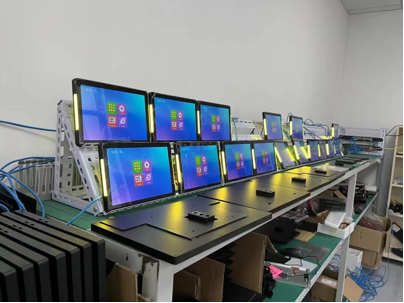
IV. Screen Display & System Functions
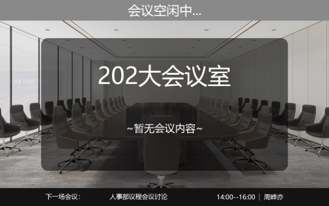
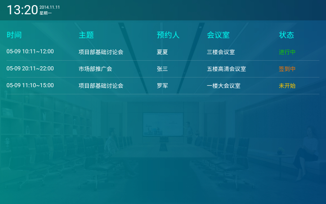
Diverse Display Templates: Provides multiple original templates for meeting displays, while also supporting enterprise self-made templates and personalized customization, making the screen content better fit the industry characteristics of the enterprise.
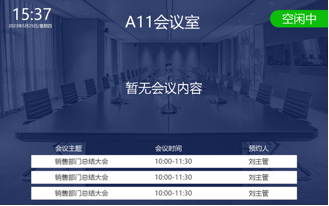
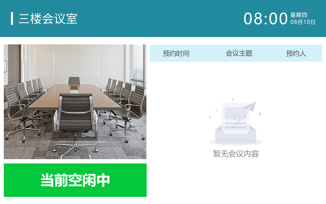
Real-time Meeting Sync: The door plate will synchronize and update in real-time to display the latest meeting information and change the current meeting status.
Face Recognition: Integrated with ArcSoft's mainstream face recognition SDK. The function is realized by uploading face photos in the background and comparing them with the door plate -- more accurate and efficient. A single door plate supports the extraction and recognition of up to 12,000 face data features.
V. Access Control Integration
Adopts a new and simple direct connection method between relays and power supplies to control access control, eliminating the old, high-cost traditional controller integration. The electronic door plate integrates built-in relays with program motherboard triggers, simulating the action of pressing the access control button to effectively control the door, making access control integration more convenient, efficient, and low-cost.
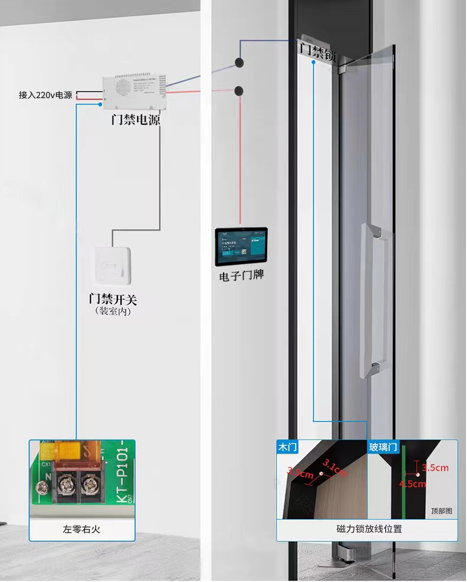
Multiple Unlocking Methods: Access control button, remote unlocking, password unlocking, card swiping, NFC unlocking, QR code check-in unlocking, face recognition unlocking, dynamic meeting code unlocking, etc.
VI. System Function Introduction
- Department Member Management: Allows adding, modifying, and deleting internal departments, and provides comprehensive management for personnel who use the system for reservations.
- Meeting Room Management: Administrators can add, modify, delete, and set up meeting rooms. All internal members have independent accounts for meeting room reservations and related operations.
- Device Management: Administrators can bind and set up devices via mobile phones and computers.
- External Integration: The system can integrate external meeting information from platforms such as DingTalk Smart Meeting Room, WeCom H5, Feishu Meeting Room, Outlook, and other OA office platforms.
- Meeting Notifications: The system can notify meeting messages in various ways according to different enterprise needs, such as email, SMS, WeCom messages, official accounts, etc.
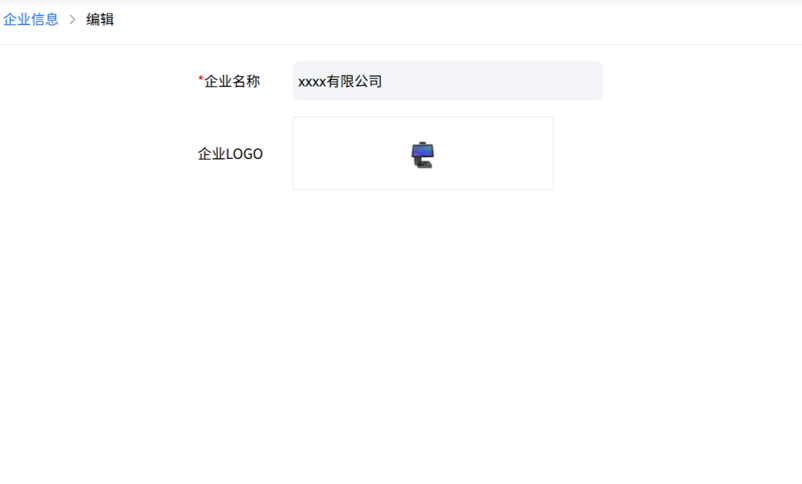
- Personalized Settings: Enterprises can upload their own LOGOs and modify company names, and can also link their official accounts to achieve personalized branding.
VII. Software Operation Pages
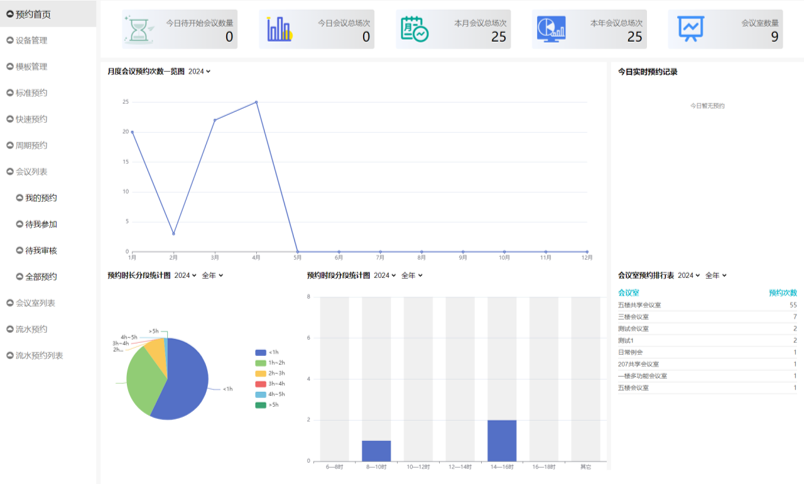
Meeting Room Homepage: 1. Big data visualization chart statistics; 2. Easy filtering; 3. Real-time updates. (Includes: Number of meetings to start today, Total meetings today, Total meetings this month, Total meetings this year, Number of meeting rooms, Monthly meeting reservation frequency, Reservation duration segmented statistics, Reservation time segment statistics, Real-time reservation records today, Meeting room reservation ranking, etc.)
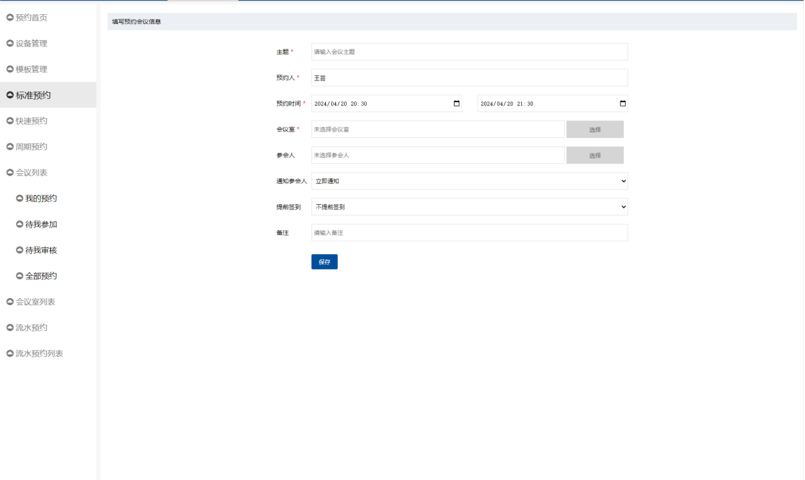
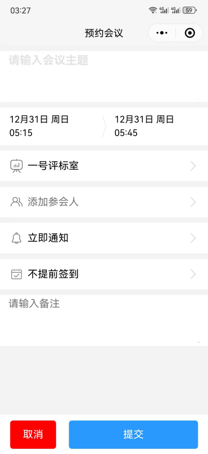
Standard Reservation: Select the time first and then the meeting room to quickly filter out available meeting rooms for the specified time. Fill in meeting information (Subject, Organizer, Reservation time, Meeting room, Attendees, Notify attendees, Early check-in, Remarks, etc.).
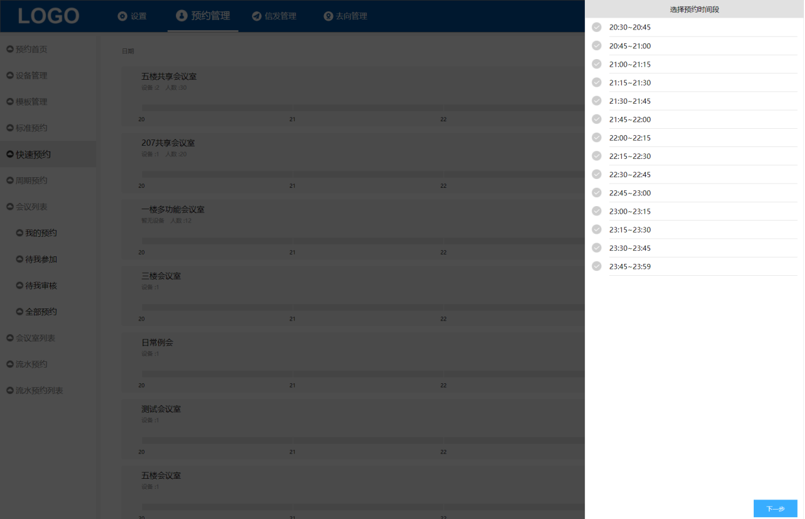
Quick Reservation: Intuitive view of occupancy and quick selection of free time slots. A new reservation method more suitable for modern enterprises.
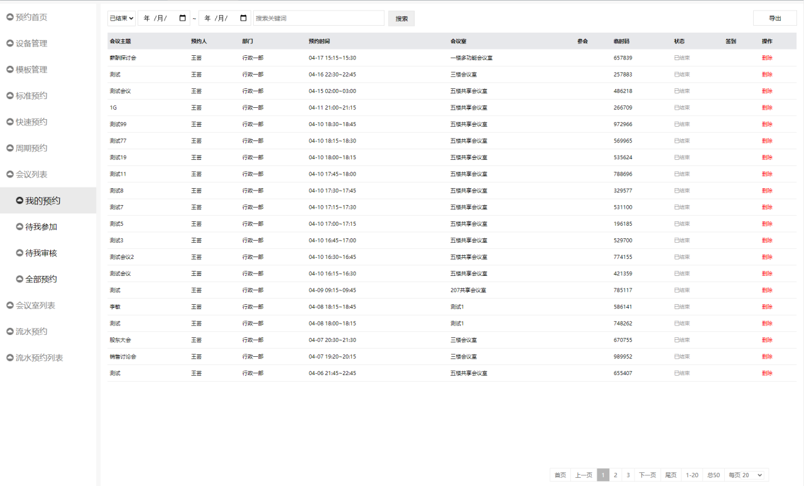
Meeting List / My Reservations: Filter queries, free export, and view various meeting data lists (including Meeting subject, Organizer, Department, Reservation time, Meeting room, Meeting code, Status, etc.).
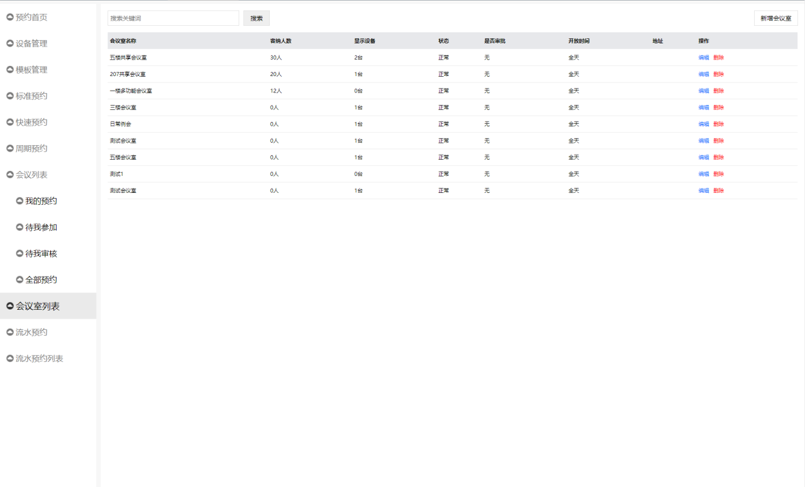
Meeting Room List: Unified meeting room list management with convenient add/delete operations.
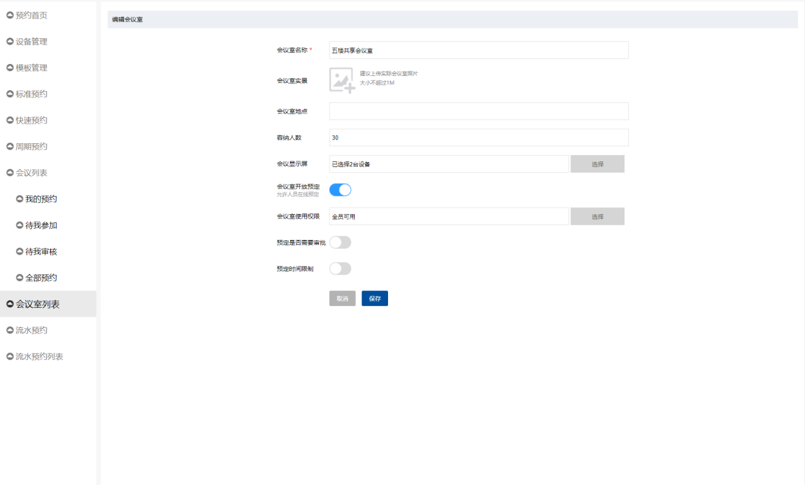
Meeting Room Settings: Personalized meeting room settings. A series of operations including real-photo uploading, screen binding, open/close toggles, usage scope, approval settings, and reservation rule standardization.
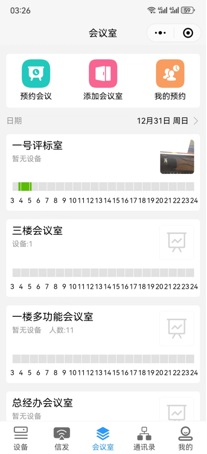
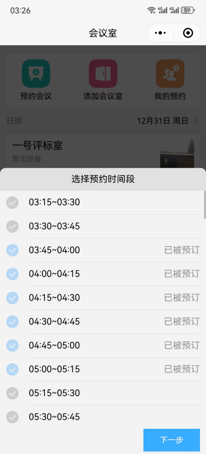
Mobile App: Possesses all functions of meeting room management (Book a meeting, Add a meeting room, My reservations, Select reservation time slots, Edit meeting room, etc.).
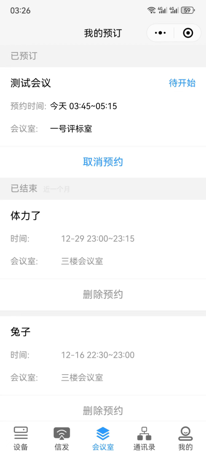
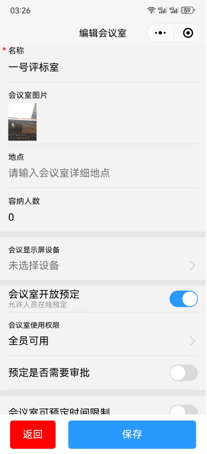
Enterprise Information Editing: Custom LOGO. Enterprises can customize the enterprise name and LOGO according to their situation.
Questions
What are the common pain points of traditional meeting rooms, and how does this solution address them?
Traditional meeting rooms often suffer from booking conflicts, resource waste, opaque information, and management difficulties. Our solution combines a robust cloud/private reservation system with real-time synchronized electronic door plates. This ensures complete transparency of meeting schedules, eliminates double-booking, and optimizes meeting room resource allocation.
What are the core hardware advantages of your intelligent electronic door plates?
The door plates feature a full aluminum alloy matte finish with an ergonomic design. They are powered by an industrial-grade RK3566 motherboard for ultra-long standby. Equipped with an original BOE HD touch screen and a 2-megapixel backlight-resistant wide dynamic camera, they are perfect for face recognition scenarios. Additionally, POE (Power over Ethernet) support ensures a clean and easy installation.
What access control unlocking methods are supported, and can it integrate with our existing office software?
Using a cost-effective and efficient relay direct-connection method, the system supports over 8 unlocking methods, including access control buttons, remote unlocking, passwords, NFC, QR codes, face recognition, and dynamic meeting codes. Furthermore, the system seamlessly integrates with mainstream OA platforms like DingTalk, WeCom, Feishu, and Outlook.
How does the system ensure the security of enterprise data?
In addition to cloud-based online operations, we offer private local area network (LAN) deployment. Enterprises can choose to store all data on internal servers, ensuring the highest security and privacy for core meeting data and personnel information (such as facial feature data, with a single device supporting up to 12,000 face profiles).